Download for Android
⬇ Download GW Monitoring (v1.4.0)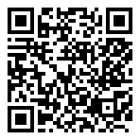
How to install
- Tap Download on your Android phone (or scan the QR code from a computer screen).
- Open the downloaded file. If Android asks, allow Install unknown apps for your browser or WhatsApp — this is needed only because the app is not on Google Play yet.
- Open GW Monitoring, read the agreement and accept it.
- New user: tap Create a free account, then confirm your email from the message sent by hydrogeosolutionsllp@gmail.com (check Spam). HGS staff and invited collaborators: sign in with your HGS portal email and password.
Already using the old “HGS Field Portal” app? Open it, make sure everything is uploaded (My Data shows no records waiting), then install GW Monitoring. Both apps can stay on the phone together; uninstall the old one when you no longer need it.
What you can do
📍 Record wells, water levels, VES spreads and water quality with GPS and photos
📶 Works offline in the field — uploads automatically when the network returns
🗺️ Create projects and load boundaries from KML, KMZ or Shapefile (.zip)
📥 Export your own data any time — Excel, CSV, KML, GeoJSON
Your data
Data collected with GW Monitoring is shared with and stored by Hydro Geo Solutions LLP, as explained in the Privacy Policy and Terms of Use that you accept in the app. Questions or deletion requests: hydrogeosolutionsllp@gmail.com.